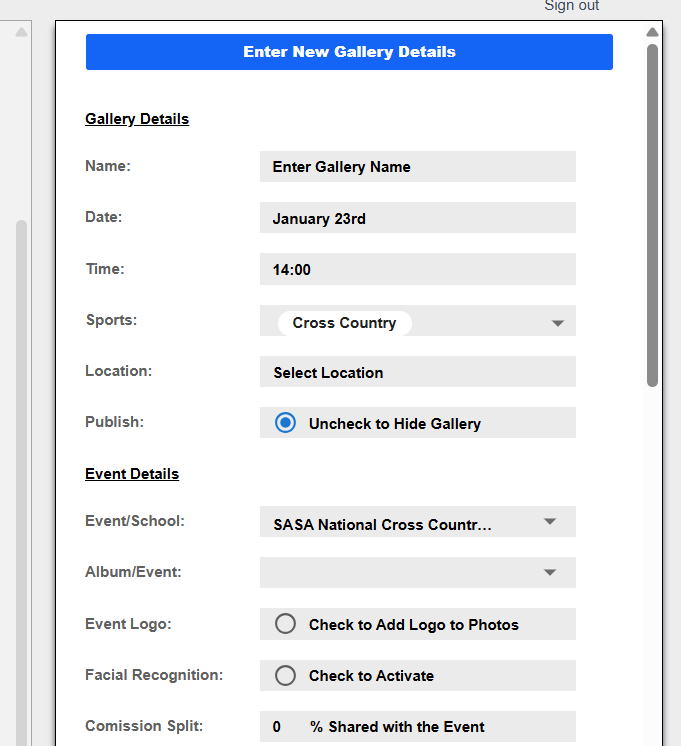
Creating a new gallery with a template
Sometimes when you are creating new galleries that look very similar to another gallery or have exactly the same attributes within a single event, it is time consuming to always have to enter all the information for that gallery. In Bossfotos you can take the information from an existing gallery and replicate it when creating a new gallery.
It is very important to note what is copied and what isn’t.
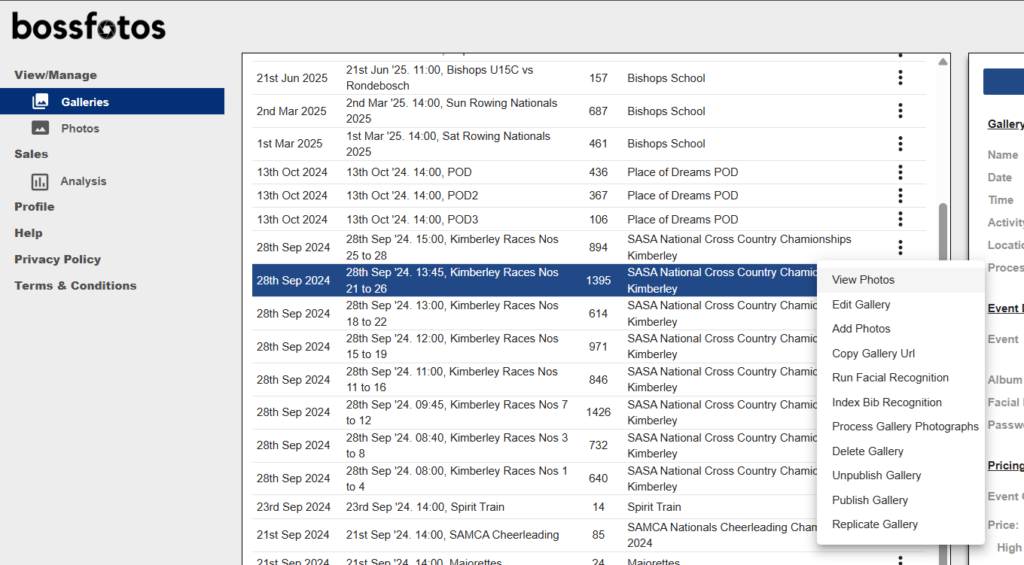
To create a new gallery based on an old one, select the old gallery that you would like to copy and then click on the 3 dots in the actions column and select “Replicate Gallery” from the dropdown box.
That will create a new gallery for you with all the attributes of that gallery ie the date, time, location, sport, event, album, password and price structure.
VERY NB: It does not copy the name. So you must enter a name and that name must be DIFFERENT from the old name you copied or you will run into url difficulties.
It also does not copy the photographs across. You are not duplicating a gallery you are merely replicating the “attributes” for that gallery. So you do now still need to scroll to the bottom after entering the name and load your new gallery’s photos.
Also note that the Facial Recognition Selection is going to be the same.
You can if you want change some of the attributes eg price if they are going to be different before saving the new gallery.