
How can we help you today?
How do I find photos I’ve purchased
Firstly go to https://www.bossfotos.com/customer/events
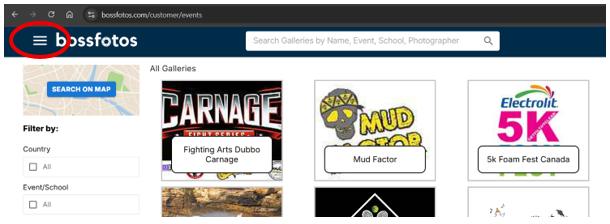
In the top left hand corner is a hamburger menu, click on that and go to “my purchased fotos”. You may be prompted to login first. Login using your email address and the password you set up previously and you will be in the “my purchases menu”. You will see all your past purchases there.
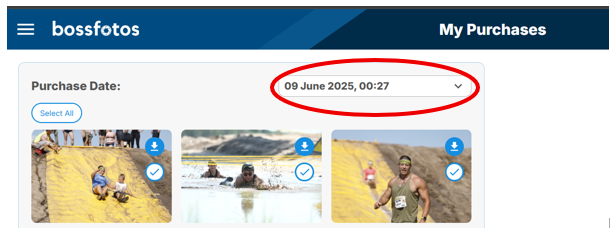
Click on the relevant gallery with the photos you want to see.
- on Mac/Pc once you see the photo you would like to download click the “download” button. On the top right of the browser you will see the downloaded jpg file. It sometimes shows as a download icon. This can be dragged to an email or WhatsApp or u can right click on it to show in finder/your files where you can then click and view. If you can’t find them in your browser go to your file explorer (finder in mac) and look in the downloads folder.
- on mobile, select the photo you would like to download. Click the “cloud” button to download. Once it downloads click the photo to either “share” or add it to your photo library