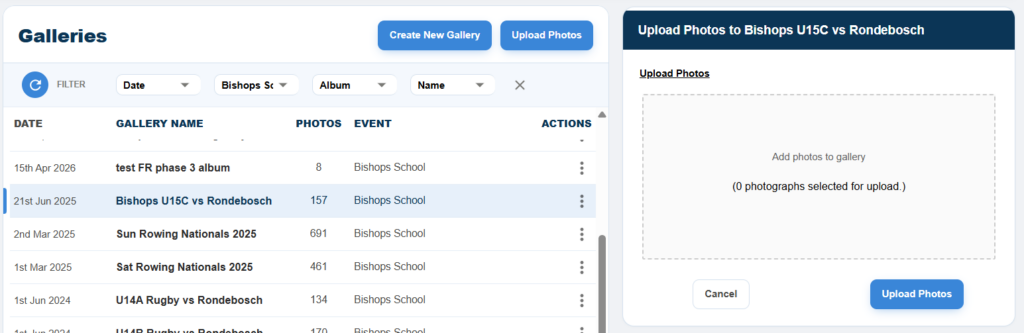
Error in Upload
What to do if you get an error?
Most importantly DO NOT DELETE the gallery.
To speed up your uploading we load multiple photographs at a time in parallel. Occasionally, for people with slow or intermittent wifi, or a provider that “throttles/limits” your loading, you will get an error message saying not all photos loaded.
Do not panic. This is easy to remedy.
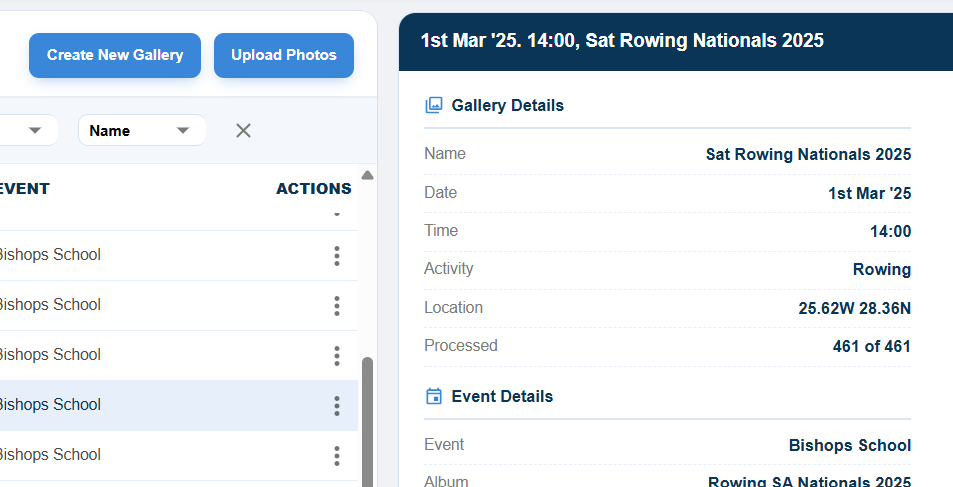
Firstly, let the photos that you have already loaded finish processing. Also, if you have multiple tabs open let the other galleries finish loading as well before proceeding. The screenshot below shows where you can see when processing is finished. Wait for the gallery to finish processing all these photos before proceeding to the next step.
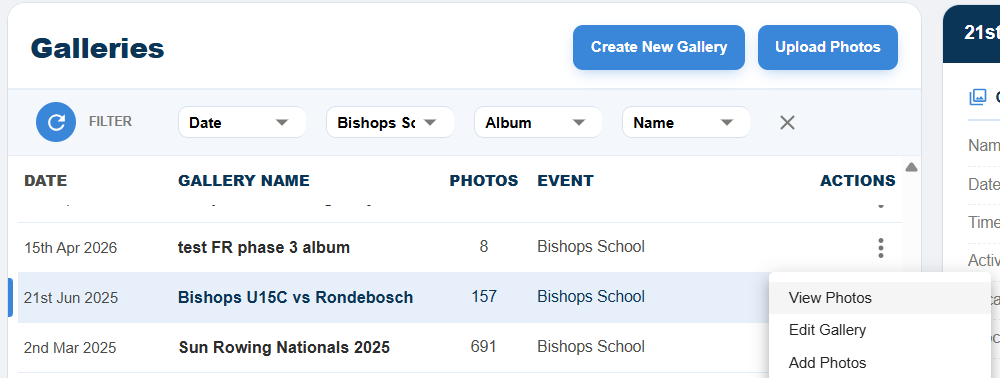
When you are ready, go to the “galleries” menu. Select the gallery you had issues with. Then click on the three dots in the actions column and select “Add Photos”
Then with the panel on the right in the box, upload the exact same photos/folder that you did before. It will automatically detect which photos that were uploaded successfully and skip past them and reload the photos that had a problem. Leave it to do its work.