
How can we help you today?
Permanently Deleting a Photograph from Bossfotos Database
From time to time a photograph may be taken of you that you are unhappy with and do not want to be live on our site. At Bossfotos you have the ability to delete that photo from our directory.
To do so you need to be on a computer (not on your mobile phone). Find your photos as per usual. Within the gallery/photo display page, click on the offending photo (click in the middle of the photo, not on the trolley or price icon).
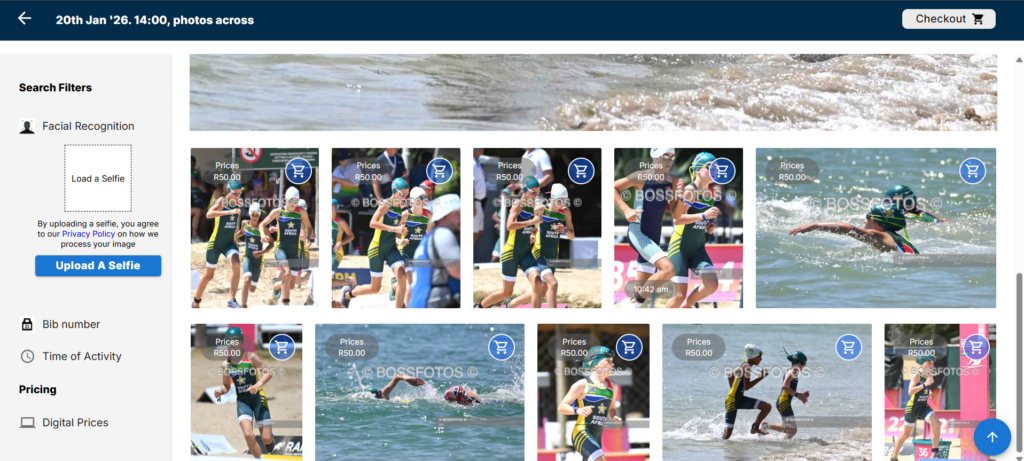
This will pull up the carousel feature so you will see only the one photo.
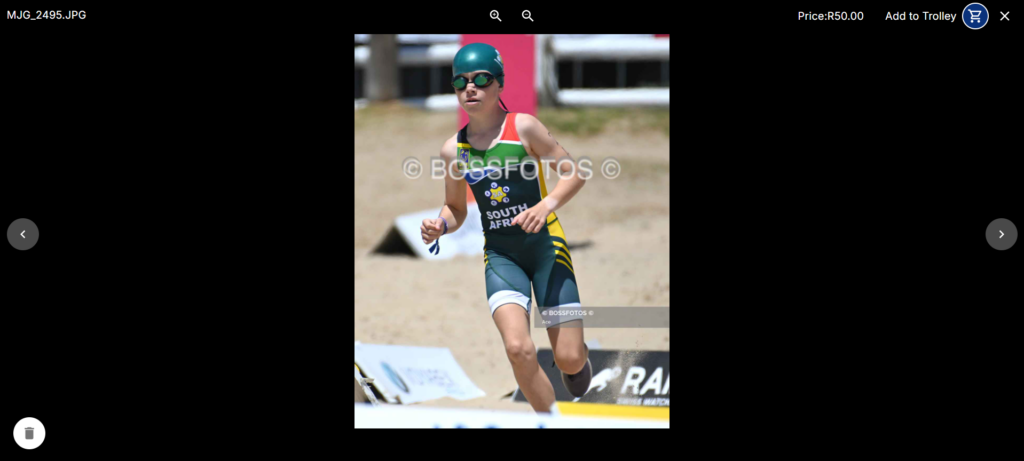
In the bottom left hand corner, click on the dustbin icon. That will prompt you to confirm your decision to delete this photo.
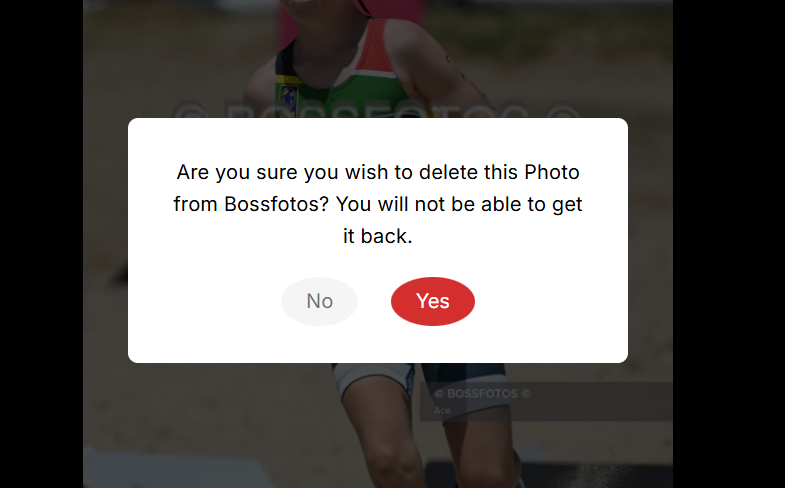
Once you click yes the photo will be removed.
Notes:
- The photo is initially hidden. It will be permanently deleted within 24hrs. Contact info@bossfotos.com if you delete a photo in error.
- After 24hrs you will NOT be able to recover the photo. It will be gone forever.
- When you initially hide the photo you may still wonder why you can still see it in your browser. That is because your browser caches images and it will be there for a while until the cache clears. Don’t worry, this is only your cache. Other users will now not be able to see your photo when they are browsing the galleries. The cache does reset globally every few hours or so as well.