
How can we help you today?
Searching for your photos
using the search/browse
Go to www.bossfotos.com and click on “find my photos” which will take you to our landing page.
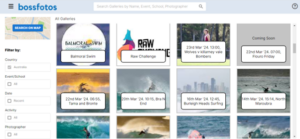
To find your photographs you need to find the gallery they are in. You can find the gallery using the search bar if you know the name of the event or school or photographer. Or you can try using the filters down the left. Select your activity, Event, Date or Photographer and on the right you will most likely see your galleries coming up. Remember to clear the filters and start again if you are not getting lucky. Once you find your gallery, click on it and it will take you to your photos or one of the albums they are in.
Once you are into a gallery you can search for your photographs by:
- Using our facial recognition feature. Upload a good, clear selfie of just yourself and it will search through the gallery and bring up your photos,
- alternatively you can just browse through all the photos by scrolling down,
- or you can use the time filter to narrow down the time you think the photo was taken and then browse through those photos
- if you were wearing a race number you can also use our bib number technology to search for the pictures with your race number in them. This is not always available for all events.